Women
SELFI PORTRAIT PROMPT
Prompt
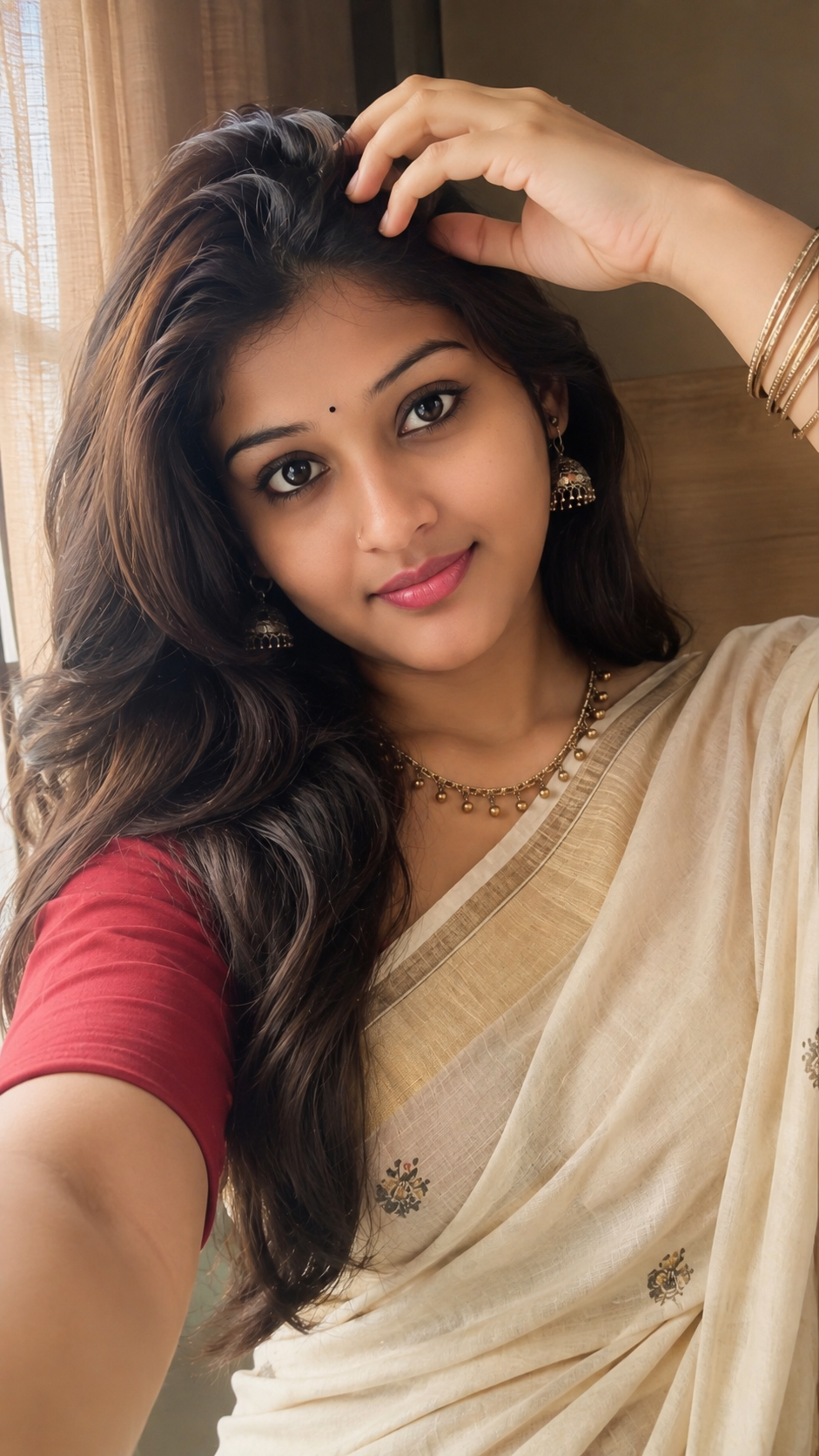
Create an ultra-realistic smartphone selfie portrait using the uploaded girl as
the subject. Preserve her exact facial identity, natural facial proportions, skin
tone, and recognizable features without reshaping or beautifying her face.
Recreate the same elegant pose: head slightly tilted, face turned naturally
toward the camera, with one hand raised above the forehead gently
adjusting/touching the hair, fingers naturally positioned. Keep the relaxed,
confident and pleasant expression.
Dress her in the same style of traditional beige-gold saree with a rich red short
sleeved blouse, matching the drape and neckline. Add elegant traditional gold
jhumka earrings, delicate necklace and multiple thin gold bangles on the raised
wrist.
Give her long, soft, naturally voluminous dark brown-black hair with subtle
warm brown highlights, silky texture, loose flowing layers and the same side
parted hairstyle, with a few natural strands framing the face.
Match the exact close-up high-angle/front-facing composition and framing of a
premium modern iPhone front-camera selfie. Natural indoor window light, soft
highlights, realistic skin texture, gentle shadows, slightly warm creamy color
tone, subtle smartphone computational photography, realistic HDR, crisp but
natural details, shallow depth of field, premium Instagram aesthetic. No
artificial skin smoothing, no exaggerated makeup, no face alteration, no extra
fingers or distorted hands.