Women
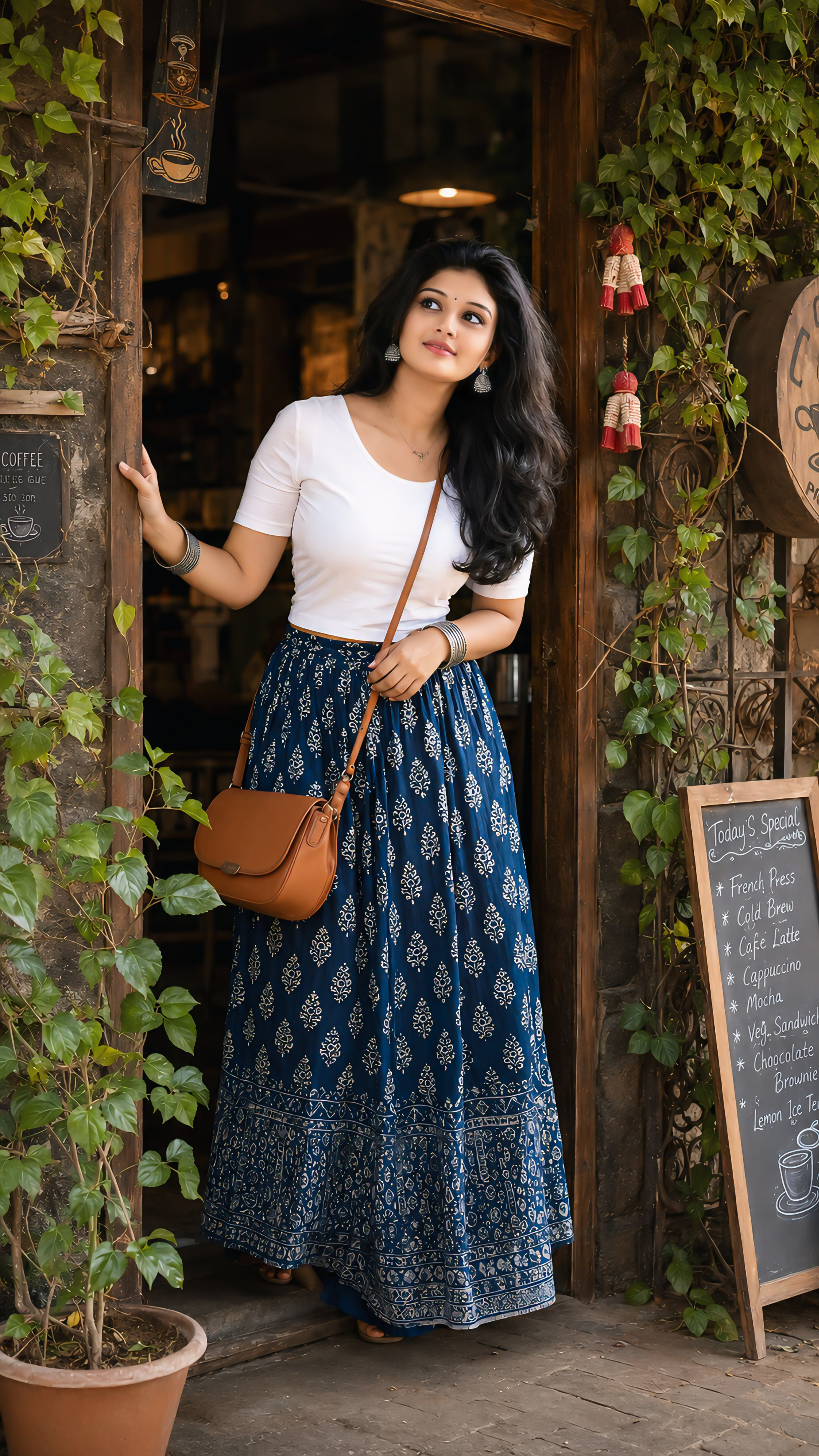
PORTRAIT OF THE GIRL STANDING AT CAFE
Prompt
Create image Use the uploaded girl's face and preserve her exact facial identity with maximum
accuracy. Maintain the same face shape, forehead proportions, jawline, cheek structure, eyes,
eyebrows, eyelashes, nose shape, lips, skin tone, hairline, facial proportions, and natural beauty. Do
not alter age, ethnicity, facial features, or create a different face. Ensure perfect identity consistency
and realistic skin texture.
Create an ultra-realistic full-body portrait of the girl standing at the entrance of a charming rustic
café, captured in the exact pose shown. She is leaning slightly forward from the café doorway, one
hand naturally holding the wooden doorframe behind her while the other hand rests gracefully near
her waist. Her body is angled slightly outward as if curiously looking at someone outside the café.
She wears a warm, genuine smile with a soft candid expression, eyes looking slightly to the side
rather than directly at the camera, creating a natural storytelling moment.
She is dressed in the same outfit style: a fitted plain white round-neck half-sleeve t-shirt paired with
a flowing navy-blue ankle-length printed skirt featuring delicate traditional white motifs. She wears
elegant traditional oxidized silver jhumka earrings, stacked silver bangles on both wrists, and a
simple crossbody tan leather sling bag. Her hairstyle is identical to the scene: long dark silky hair
with soft loose curls at the ends, side-parted, naturally flowing over her shoulders with subtle
volume and movement.
The setting is a cozy heritage-style café entrance with rustic stone walls, wooden doorframes,
vintage café signage, lush green climbing vines wrapped around decorative metal frames, and small
hanging red-and-white decorative ornaments. A handwritten chalkboard menu stands beside the
entrance, adding authenticity and warmth. Rich foliage surrounds the doorway, creating depth and a
welcoming atmosphere.
Capture the image as a candid lifestyle photograph with premium editorial photography aesthetics.
Soft natural daylight illuminates her face evenly, producing realistic highlights in the eyes and subtle
shadows. Warm earthy brown stone textures, deep green foliage, and natural skin tones create the
same cinematic color palette and mood. Maintain the exact cozy café ambiance, realistic
environmental details, and authentic storytelling feel.
Ultra-photorealistic DSLR photography, 85mm lens look, f/2.8 aperture, natural depth of field, sharp
facial details, realistic fabric textures, lifelike hair strands, cinematic bokeh, HDR lighting, true-to-life
colors, premium magazine-quality composition, highly detailed environment, ultra-realistic skin
pores, natural shadows, realistic reflections, documentary-style candid photography, 16K Ultra HD,
masterpiece quality, professional color grading, realistic human anatomy, full-body vertical framing.
Negative Prompt: plastic skin, low quality, blurry face, overprocessed skin, beauty filter effect,
cartoon, CGI, 3D render, artificial lighting, unrealistic eyes, distorted anatomy, extra fingers, extra
limbs, duplicate body parts, deformed hands, bad proportions, washed-out colors, excessive
smoothing, oversaturated colors, unrealistic hair, fake smile, cropped feet, motion blur, low
resolution, watermark, text, logo, noise, compression artifacts.