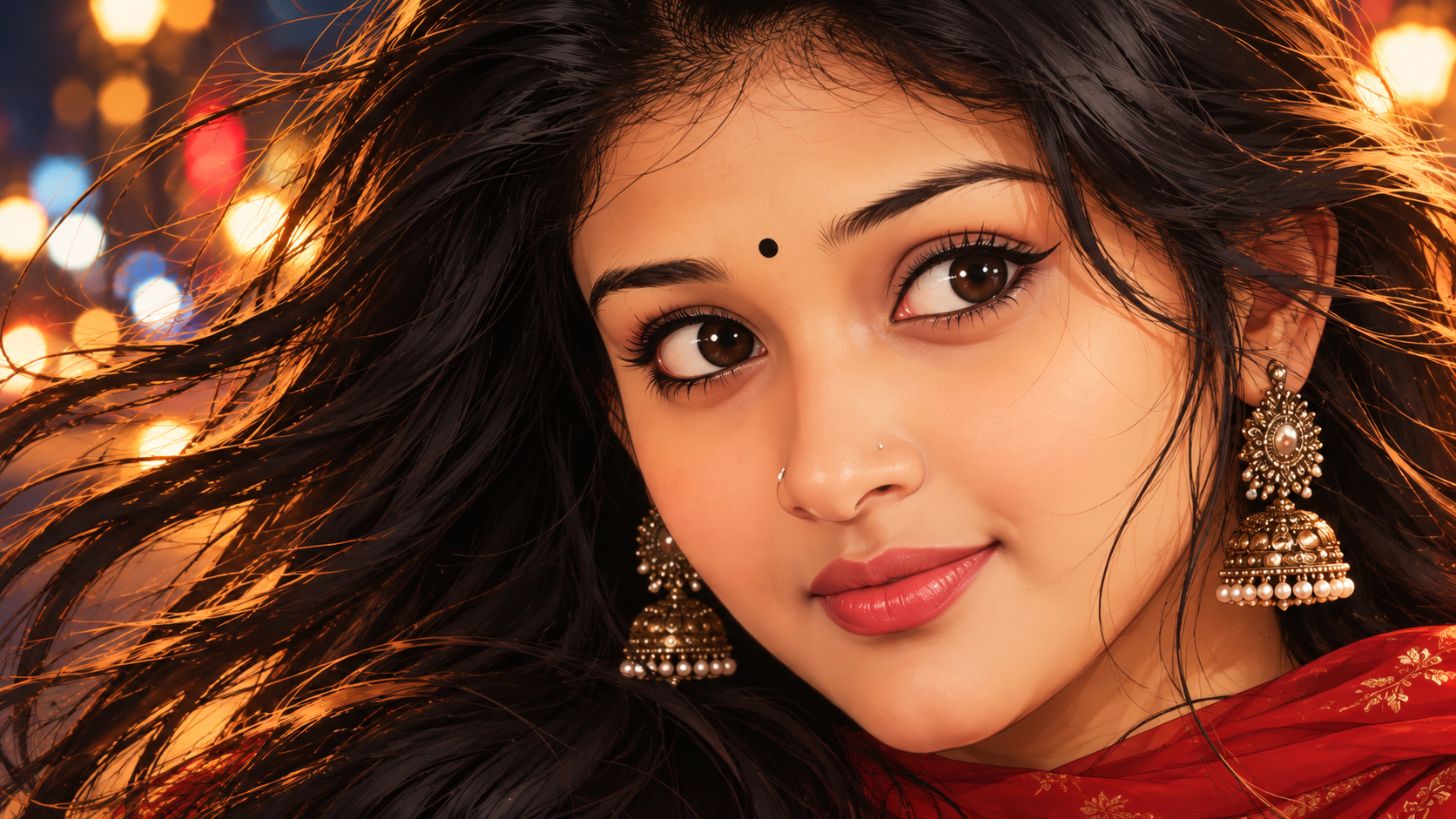
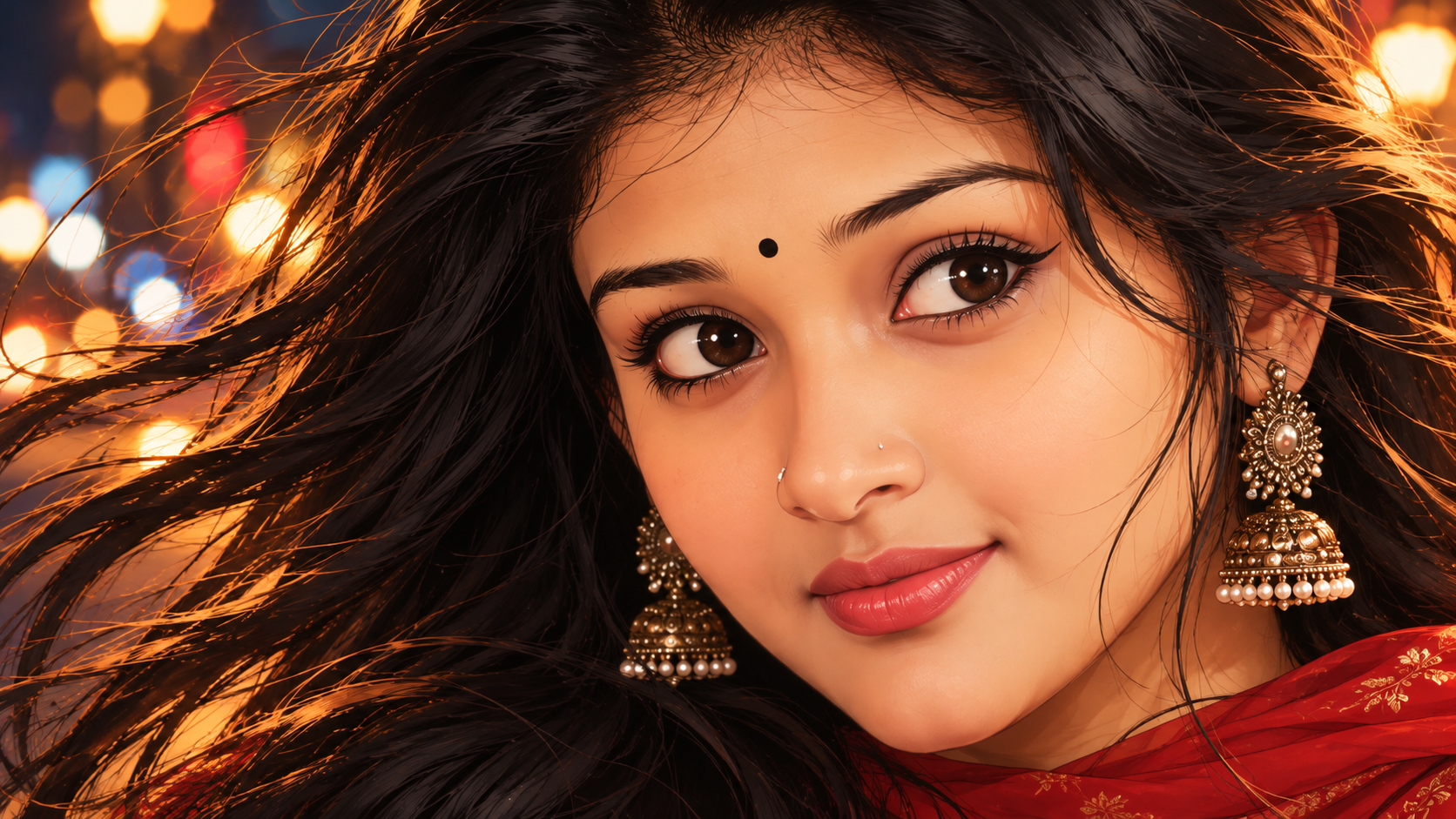
Romantic 2D Anime Girl Portrait – Cinematic Night Bokeh
Prompt
Using the uploaded photograph strictly as the facial identity reference, create a breathtaking, premium-quality, semi-realistic 2D anime-inspired digital illustration of the same girl. Preserve her recognizable facial identity, natural face shape, skin tone, eye shape, nose, lips, eyebrows and distinctive facial features. Artistically transform her into an elegant illustrated Indian character.
1. EXTREME CLOSE-UP COMPOSITION
Create an intimate, extremely tight facial portrait. Her face must dominate approximately 75–80% of the frame. Show her forehead, both eyes, nose, cheeks, lips and chin in beautifully detailed close-up. Keep her face positioned slightly toward the right side of the composition, with her gaze directed gently toward the viewer and slightly to the left.
Do not create a medium shot or full-body portrait. The face must be large and prominent, filling almost the entire frame.
2. FACE & EXPRESSION
Preserve her original recognizable facial identity. Give her beautiful expressive dark-brown illustrated eyes, delicate eyeliner, naturally defined eyelashes, elegant eyebrows, soft rosy cheeks and glossy coral-pink lips. Add a small traditional black bindi and retain her recognizable nose details.
Give her a gentle, charming closed-mouth smile with a romantic and confident expression. Avoid exaggerated anime facial proportions or oversized cartoon eyes.
3. HAIRSTYLE
Create extremely long, thick, open, flowing jet-black hair with beautiful layered waves. Her hair should move dramatically toward the left side of the frame, occupying a substantial portion of the composition.
Add delicate loose strands around her forehead, cheeks and jawline. Use beautifully illustrated dark-brown and golden-orange highlights along individual hair strands, creating a dramatic wind-blown effect.
4. OUTFIT & JEWELLERY
Dress her in a rich crimson-red traditional Indian churidar or salwar kameez, with delicate golden embroidery visible around the neckline and shoulder area. Include elegant golden traditional jhumka earrings.
Only a small portion of her red outfit should be visible near the bottom and right edge of the frame. Keep the attention entirely on her face.
5. DREAMY NIGHTTIME BACKGROUND
Create a beautifully illustrated nighttime street background with colourful, softly blurred bokeh lights. Include glowing golden and amber streetlights, creamy-white circular highlights, subtle red lights and soft blue and teal illumination.
Use a deep navy-blue and dark charcoal atmosphere. Keep the background artistically blurred, luminous and dreamy, with no sharp architectural details.
6. LIGHTING & ART STYLE
Use warm golden-orange cinematic lighting across her face, delicate highlights in her eyes, soft peach skin shading and glowing golden rim light along her flowing hair.
Mandatory art direction:
- Pure 2D semi-realistic digital illustration.
- Sophisticated anime-inspired character artwork.
- Refined hand-drawn vector-style outlines.
- Smooth cel shading and painterly gradients.
- Beautifully detailed illustrated eyes and hair.
- Rich, harmonious colours.
- Premium professional digital painting.
- Romantic cinematic nighttime atmosphere.
NEGATIVE PROMPT:
Photorealism, DSLR photography, realistic photograph, photo filter, 3D render, CGI, plastic skin, generic face, altered identity, exaggerated anime eyes, chibi, cartoon proportions, tied hair, braided hair, bun, short hair, stiff hair, medium shot, full-body shot, distant face, tiny face, excessive empty space, distorted eyes, asymmetrical facial features, open mouth, visible teeth, sharp photographic background, text, watermark, logo.
FINAL INSTRUCTION:
Recreate the visual composition and artistic appearance of an extreme close-up illustrated portrait: a beautifully recognizable Indian girl with long flowing wind-blown black hair, expressive dark-brown eyes, golden jhumka earrings, a rich crimson-red outfit and a dreamy colourful nighttime bokeh background.
The final output must look like a premium hand-crafted 2D digital illustration, NOT a photograph.
ASPECT RATIO: 16:9 LANDSCAPE.
This breakdown is drawn from the wording of the prompt above. It helps you identify which visual instructions to keep consistent and which ones you may want to adjust.
Subject and identity: Using the uploaded photograph strictly as the facial identity reference, create a breathtaking, premium-quality, semi-realistic 2D anime-inspired digital illustration of the same girl. Preserve her recognizable facial identity, natural face shape, skin tone, eye shape, nose, lips, eyebrows and distinctive facial features.
Clothing and styling: Dress her in a rich crimson-red traditional Indian churidar or salwar kameez, with delicate golden embroidery visible around the neckline and shoulder area. Include elegant golden traditional jhumka earrings.
Pose and composition: EXTREME CLOSE-UP COMPOSITION Keep her face positioned slightly toward the right side of the composition, with her gaze directed gently toward the viewer and slightly to the left.
Setting and background: Create a beautifully illustrated nighttime street background with colourful, softly blurred bokeh lights. Keep the background artistically blurred, luminous and dreamy, with no sharp architectural details.
Lighting and colour: Use beautifully illustrated dark-brown and golden-orange highlights along individual hair strands, creating a dramatic wind-blown effect. Include glowing golden and amber streetlights, creamy-white circular highlights, subtle red lights and soft blue and teal illumination.
Camera and photography: Photorealism, DSLR photography, realistic photograph, photo filter, 3D render, CGI, plastic skin, generic face, altered identity, exaggerated anime eyes, chibi, cartoon proportions, tied hair, braided hair, bun, short hair, stiff hair, medium shot, full-body shot, distant face, tiny face, excessive empty space, distorted eyes, asymmetrical facial features, open mouth, visible teeth, sharp photographic background, text, watermark, logo.
Artistic medium and style: Use a deep navy-blue and dark charcoal atmosphere. Pure 2D semi-realistic digital illustration.
How to Customize This Prompt
This prompt is a starting point. Keep the instructions that define the intended subject and visual direction, then adjust selected details to create a version that matches your project.
Elements covered in this prompt: reference identity, clothing and styling, pose and expression, setting and background, lighting and colour, camera and framing, artistic medium. Keep the elements that matter to your intended result, and edit only the details you want to explore.
Ideas to Try
Reference image and identity: use a clear reference image when the same person must remain recognizable. If you want a different subject, replace the reference and remove any identity-lock wording that no longer applies.
Clothing and styling: change one specific item at a time—such as garment colour, fabric, drape or jewellery—so you can compare the result without changing the whole scene.
Pose and expression: experiment with one detail at a time, such as gaze direction, hand placement, posture or the distance between subjects. Keep the main composition if it is important to the result.
Setting and background: try a different location, backdrop or level of background detail while keeping the main subject easy to identify.
Lighting and colour: change the light source or direction first. Then refine warmth, contrast, colour balance and shadow softness.
Camera and framing: test a different crop, camera angle or depth of field. Lens and camera specifications act as visual guidance; image generators do not reproduce physical camera settings consistently.
How to Use It
Copy the prompt and paste it into your preferred AI image generator.
If the prompt refers to a reference photo, upload it only if your chosen tool supports image references.
Generate a first result, compare it with the intended subject and composition, then revise one visual detail at a time.
Make Changes Carefully
For a useful comparison, save the original wording and change one major element per attempt. This makes it easier to see whether the change improved the result. Different AI tools may interpret the same wording differently, so review the output rather than expecting identical results.